

If you have access to more than one organisation, you can now log in and switch between them more easily.
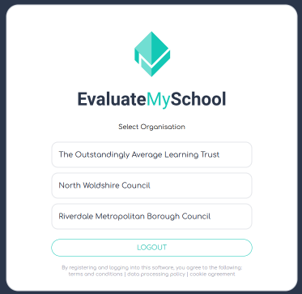
When you log in at https://app.evaluatemyschool.co.uk/login, you will see the “Select Organisation” page if you have permission to view evaluations in more than one organisation. Click the organisation you want to view.
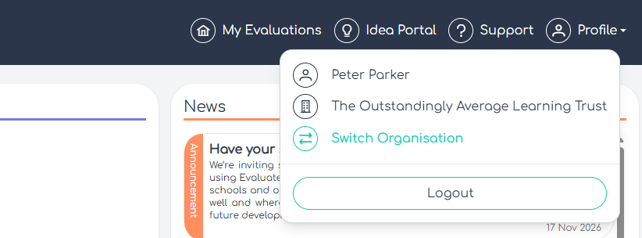
Your accounts have been merged. To switch organisations while logged in, click Profile, then Switch Organisation.
If you log in through an organisation’s own login page rather than https://app.evaluatemyschool.co.uk, you will go directly to that organisation. You will not see the “Select Organisation” page.
The My Evaluation page shows only the evaluations for the organisation you are currently viewing.
